

Maptake for After Effects · Closed beta
Stop hand-keying maps.
Maptake for After Effects is a free plugin that puts a Maptake map in your composition as a live layer. Describe the map in the panel and the AI agent builds it in Maptake. The layer draws each frame on your computer, and when you change the project in Maptake, the layer updates. It is in closed beta.
Closed beta · macOS first
Check your inbox.
We sent a confirmation link to . It works for 7 days. Open it to join the list.
Waiting for your click
Nothing in your inbox? Look in spam or promotions, and add stefan@news.maptake.com to your contacts.
Or start free in the browser. The maps you make now go into your comp once you are in.
How does Maptake for After Effects work?
- Open the Maptake panel in After Effects and sign in with your Maptake account in the browser. There is no key to paste.
- Pick a map or describe a new one. For a new map, Maptake opens a project that already matches your comp’s size, frame rate and length, with your request ready for the AI agent.
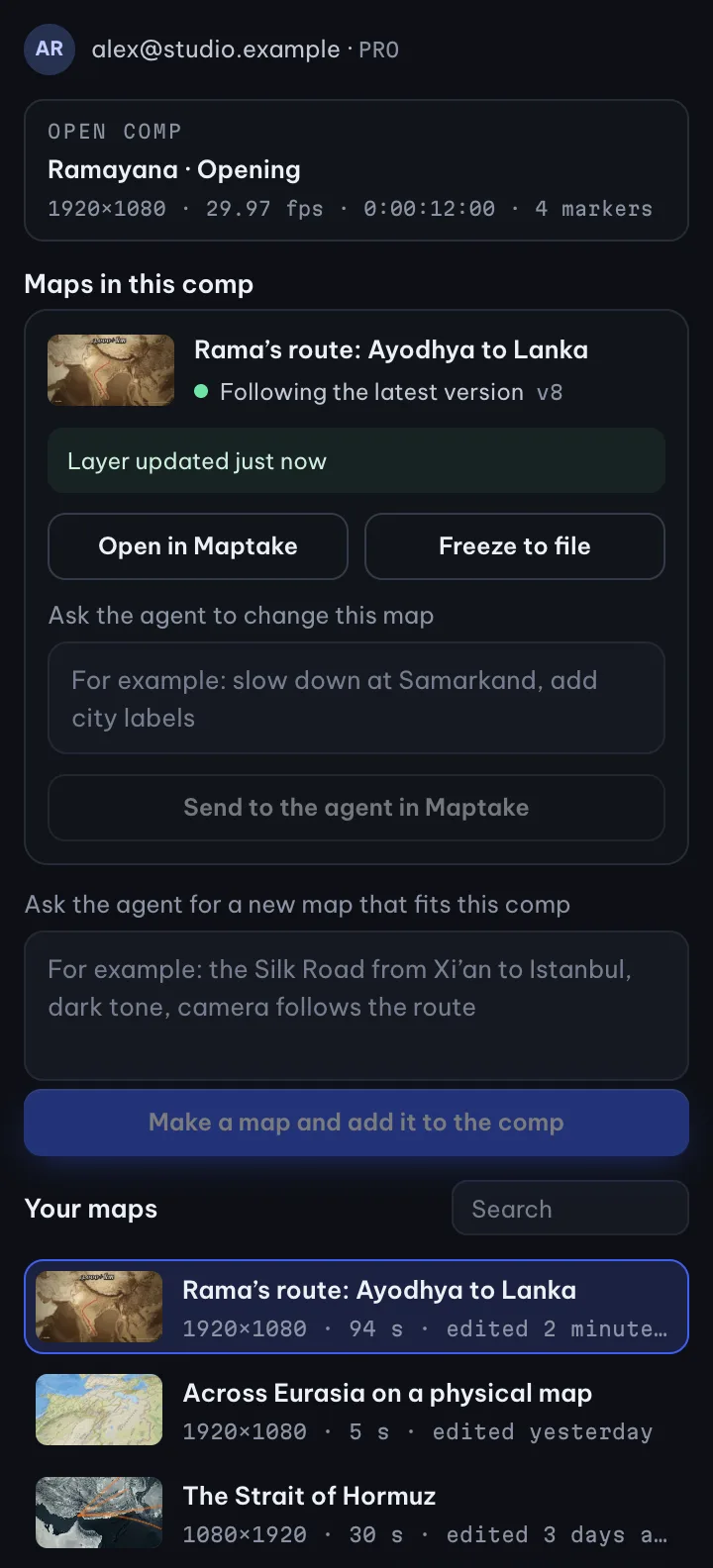
- Add it to the comp. The map arrives as a layer with the “Maptake Map” effect. Scrub it, preview it and render it like any other layer.
- Change the map in Maptake. Move a stop, retype a label or ask the agent for a slower camera. The layer in your comp shows the new version, with no re-import, and your own layers stay as they are.
- Freeze it when you hand off. Freeze to file turns the layer into a PNG sequence, so the project opens on a machine without Maptake.
Why a live layer and not a rendered clip?
A rendered map clip is out of date the moment someone asks for another stop or a different label: you change the map, export again and swap the footage. A live layer follows its project instead. Fix the map in Maptake, by hand or by asking the agent, and the comp shows the new version.
Each frame is drawn by the same renderer as the Maptake editor, so the map in After Effects is the map you built. When you need a copy that no longer changes, freeze it to files.
What do I need?
- A Maptake account on any plan, including Free. Each plan keeps the limits it has for exports (length, size, watermark).
- After Effects on macOS for the first beta. Windows follows.
- Google Chrome or Microsoft Edge installed. A small helper app uses it in the background to draw the map on your computer.
- An internet connection to load your project and the map.
See the limits of each plan on the pricing page.
Can I use Maptake with After Effects today?
Yes, without the plugin. On Pro, the After Effects pack exports each scene’s map as a video or a PNG sequence, the labels as a transparent PNG sequence, and a script that builds the compositions. Any plan exports an MP4 that you can drop into a comp.
Who is the beta for?
Motion designers, editors and studios who build map scenes in After Effects for real projects. We start with a small group, ask what slows you down, and fix that before the public release.
Questions people ask
- Is the plugin free?
- Yes. Maptake for After Effects is free on every Maptake plan, including Free. Plans differ in their limits, not in access to the plugin: a layer follows the same length, size and watermark rules as an export from Maptake.
- When can I download it?
- After the closed beta. Join the list on this page and we will email you when there is a place for you in the beta, and again when the public download is ready.
- Do I have to re-import when the map changes?
- No. The layer follows the latest version of its Maptake project. Change the project in Maptake and the layer redraws. Freeze it to files when you want a copy that no longer changes.
- Does my After Effects project leave my computer?
- No. The panel reads the open comp’s name, size, frame rate and length to set up a matching map. The frames are drawn on your computer. The map itself is a project in your Maptake account.
- Does it work on Windows?
- Not in the first beta, which is for After Effects on macOS. Windows comes next.
- Do I need After Effects to use Maptake?
- No. Maptake runs in the browser and exports an MP4. The plugin is for people who already build their videos in After Effects.
Make the map now
Open the editor free and describe your map to the agent. When you are in the beta, the same project goes into your comp as a live layer. Until then, Pro exports an After Effects pack.
Related
Map data © OpenStreetMap contributors, Natural Earth. Tiles © Protomaps. Satellite imagery: Esri.
Adobe and After Effects are either registered trademarks or trademarks of Adobe in the United States and/or other countries. Maptake is not affiliated with or endorsed by Adobe.